Tasks without repetition
Create them once, choose the days, and let Hjerterum keep track of the rest.
 Gatherheart
Hjerterum helps children and adults see the tasks, take responsibility and celebrate the effort — without notes on the fridge and repeated reminders.

Counted directly from family activity
When everyone can see what needs to happen and children feel that their effort matters, responsibility becomes clearer and the atmosphere lighter.
Create them once, choose the days, and let Hjerterum keep track of the rest.
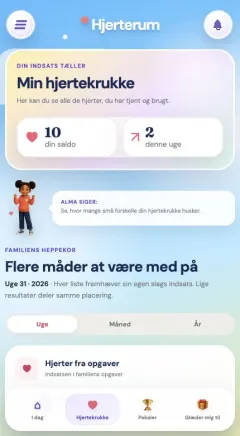
Each completed task earns hearts that can be used for personal or shared rewards.
Positive habits, a gratitude journal, calm music and Brain Break make the app more than a task list.
Three simple steps that children and adults can understand.
Create tasks, choose who can see them, and let them repeat on the right days.
Take a task alone or work together. Hearts are shared fairly and rounded to whole hearts.
Use hearts on small rewards or donate them to the family’s next big experience.
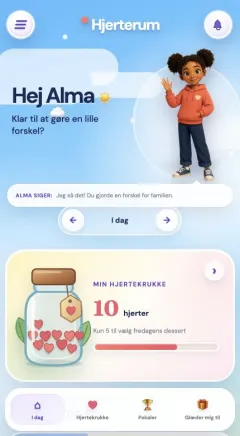
Parents get the full overview, while children meet a simple day view that makes helping visible and manageable.
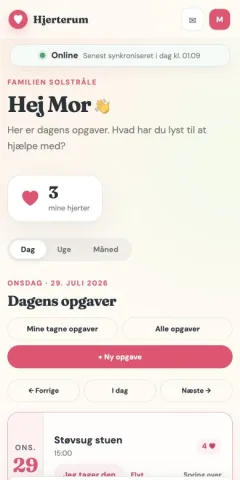
Create recurring tasks, recommend today’s priorities and decide whether a task needs approval.
A calm day view shows their own tasks, hearts and the family’s next shared goal.
Hearts, rewards, positive habits and messages stay together across devices.
Hjerterum can be installed without an app store. Follow three steps and it will open like an ordinary app on your phone.
Sign in to gatherheart.app using Safari.
Choose “Add to Home Screen” in the menu.
Add3Choose “Open as Web App” and tap “Add”.
Sign in to gatherheart.app using Chrome.
Tap the three dots at the top of the browser.
Install3Choose “Add to Home screen” and then “Install”.
✓No app store required. Your login, tasks and hearts are the same whether Hjerterum opens from the home screen or the browser.
This is not about paying children to help. It is about making their effort visible — and celebrating what the family achieves together.
The idea behind Hjerterum
We help you get started with a personal setup — no payment card required.